Android
Giraffe for Android
The projects you keep with AI, open on the phone already in your hand: the same account, the same project as on the web.
Reading and finding, wherever you are. New facts and decisions still come from your assistant.
Where the project stands
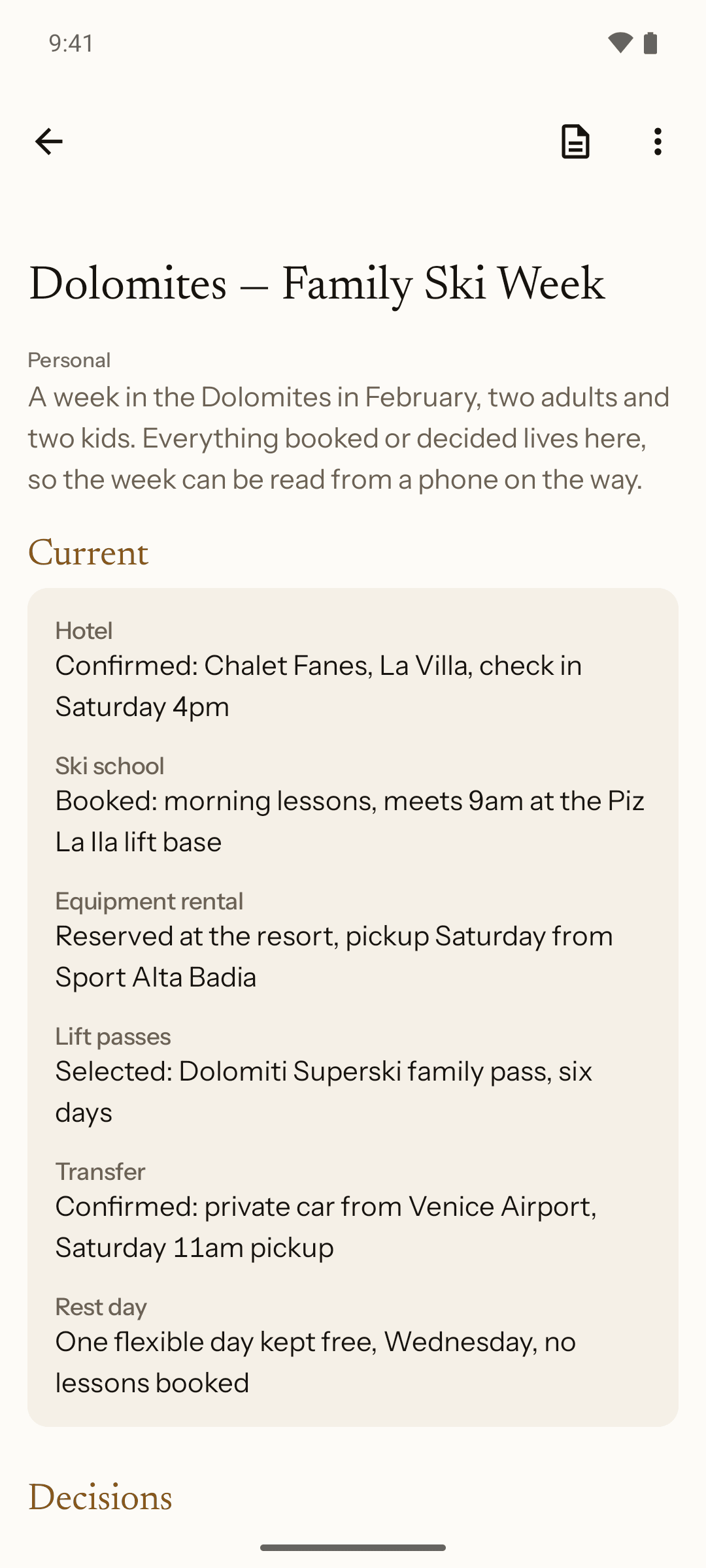
Current facts, Decisions, Open questions and Notes, in that order, on one screen.
What moved while you were away
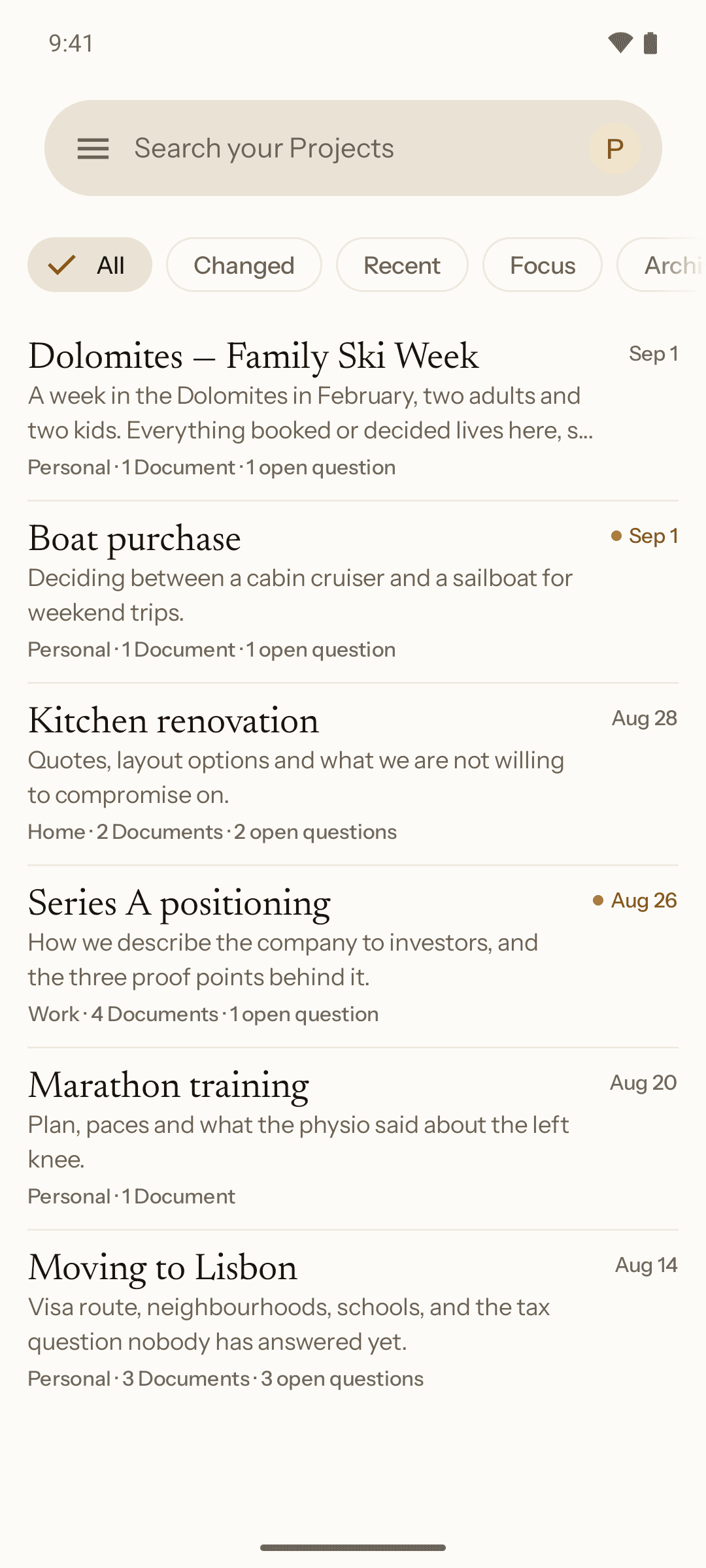
The list marks a project Changed when its contents moved since you last opened it.
Readable without a signal
Projects and documents you have opened stay on the phone. Search and Connections need a connection.
Open it, and the work is where you left it.
Your projects, the most recently worked in first. Changed marks the ones that moved since you last opened them, and Focus and Archived are one tap along the row.
Filed the way you filed it
Spaces come down from the web and sort by where you last worked, not by when you made them.
Changed, not unread
A project is marked because its contents moved, not because a message arrived.
One tap to the state
Open a project and the Current panel is the first thing under its title.
The whole state of a project, without scrolling back.
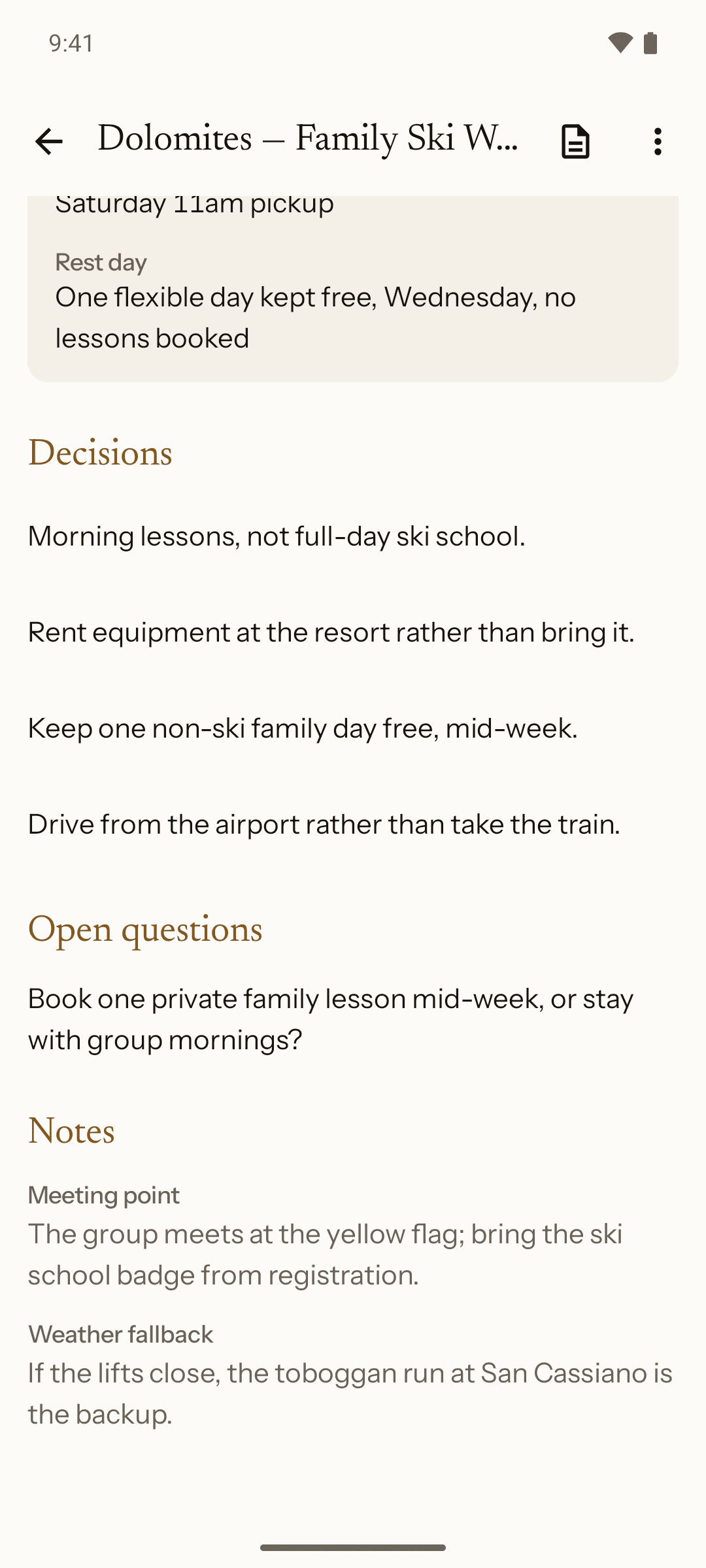
What is true now, the decisions behind it, the questions still open, and the notes. In the order that answers where are we.
One live value per fact
Budget reads one number, the current one. The value it replaced is not sitting underneath it.
The reason travels with it
A decision carries the line that explains it, where your assistant wrote one.
Open questions stay visible
What is unresolved has its own place on the screen instead of being lost in a note.
How the project gets to your phone.
01
Connect once, on the web
Link an assistant to your account. It happens a single time, from a computer.
02
Tell it what to keep
Ask your assistant to save what you settled. It writes the facts, decisions and notes into the project.
03
Open it on Android
Sign in with an email code, no password. The project is already there.
One search across everything you kept.
Type a word and the results come back across every project at once: the project itself, the single fact inside it, and the document it was written into.
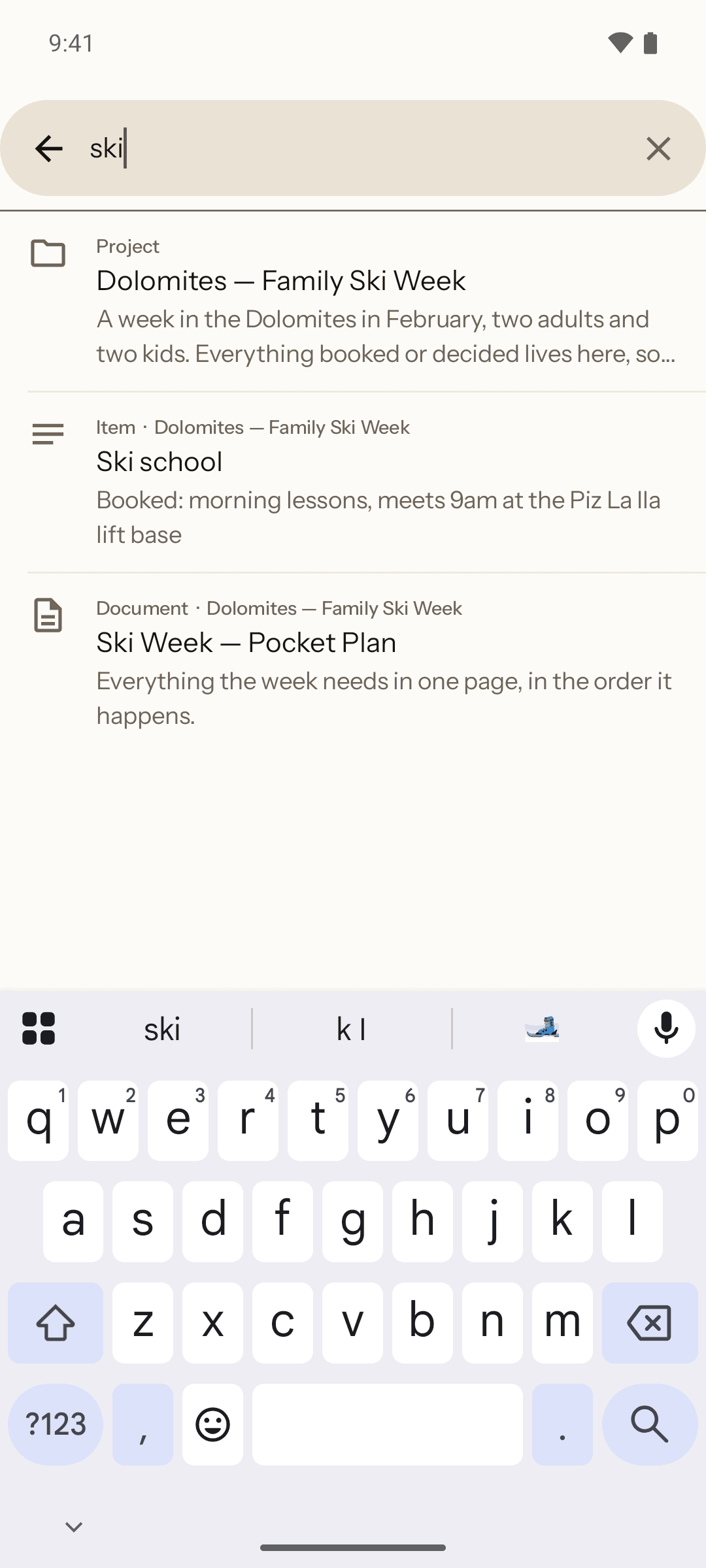
Three kinds of answer
A project, an item, a document. Each one labelled, so you can tell what you are about to open.
It reaches archived work too
Search is not scoped to the filter you happen to be looking at; an archived project still answers, ranked below the live ones.
This one needs a connection
Search runs on the server. It is the screen that does not work offline, and the app says so rather than showing you a stale answer.
The document, in your pocket.
A document your assistant wrote out of the project, opened on the phone, with the version it is on. Written from the project, not retyped by hand.
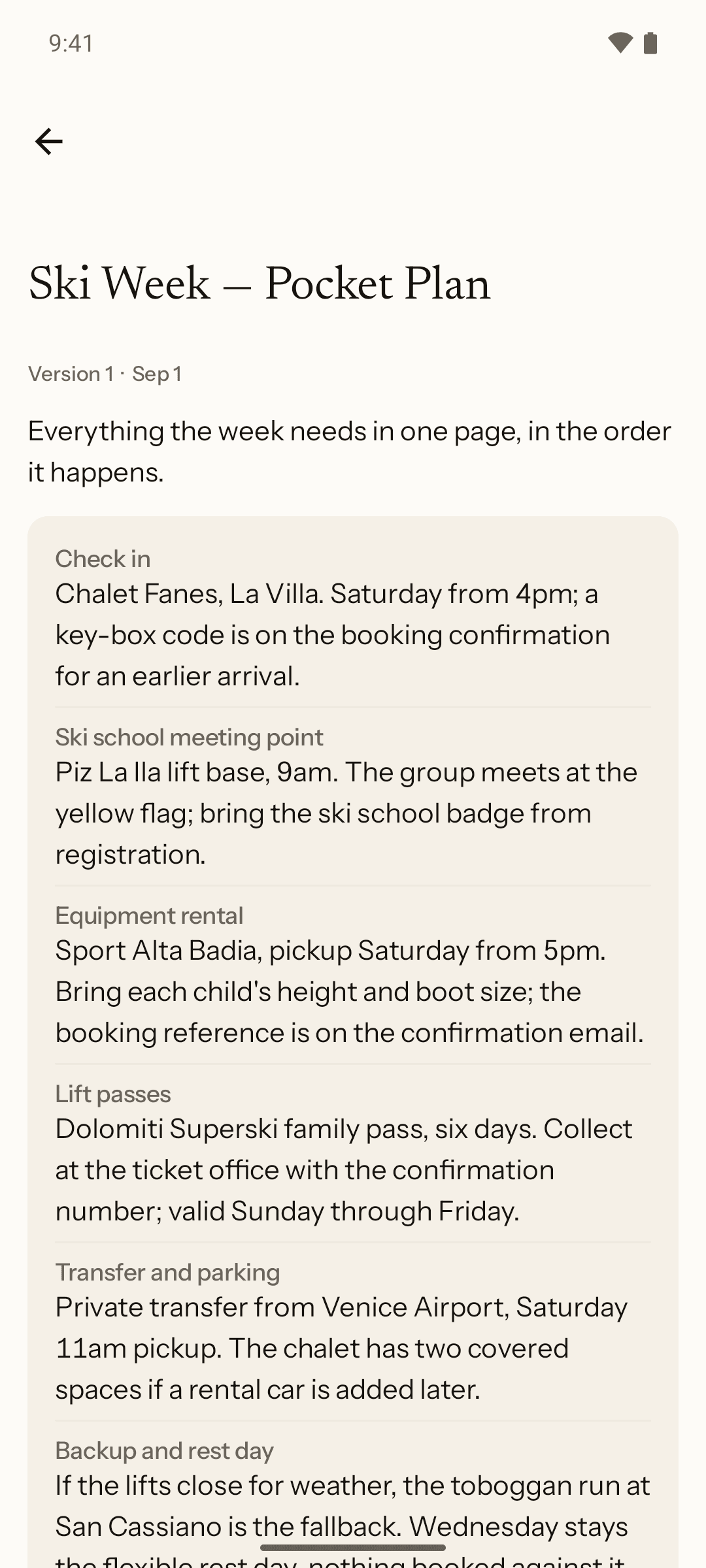
It says which version
A document is a numbered version, not a file that quietly changed under you.
Kept once you have opened it
A document you have read stays on the phone, and a failed refresh shows it rather than an error.
The assistants you connected, visible from the phone.
Claude, ChatGPT and Gemini, each with when it was last used. Connecting one, and disconnecting it, both happen on the web.
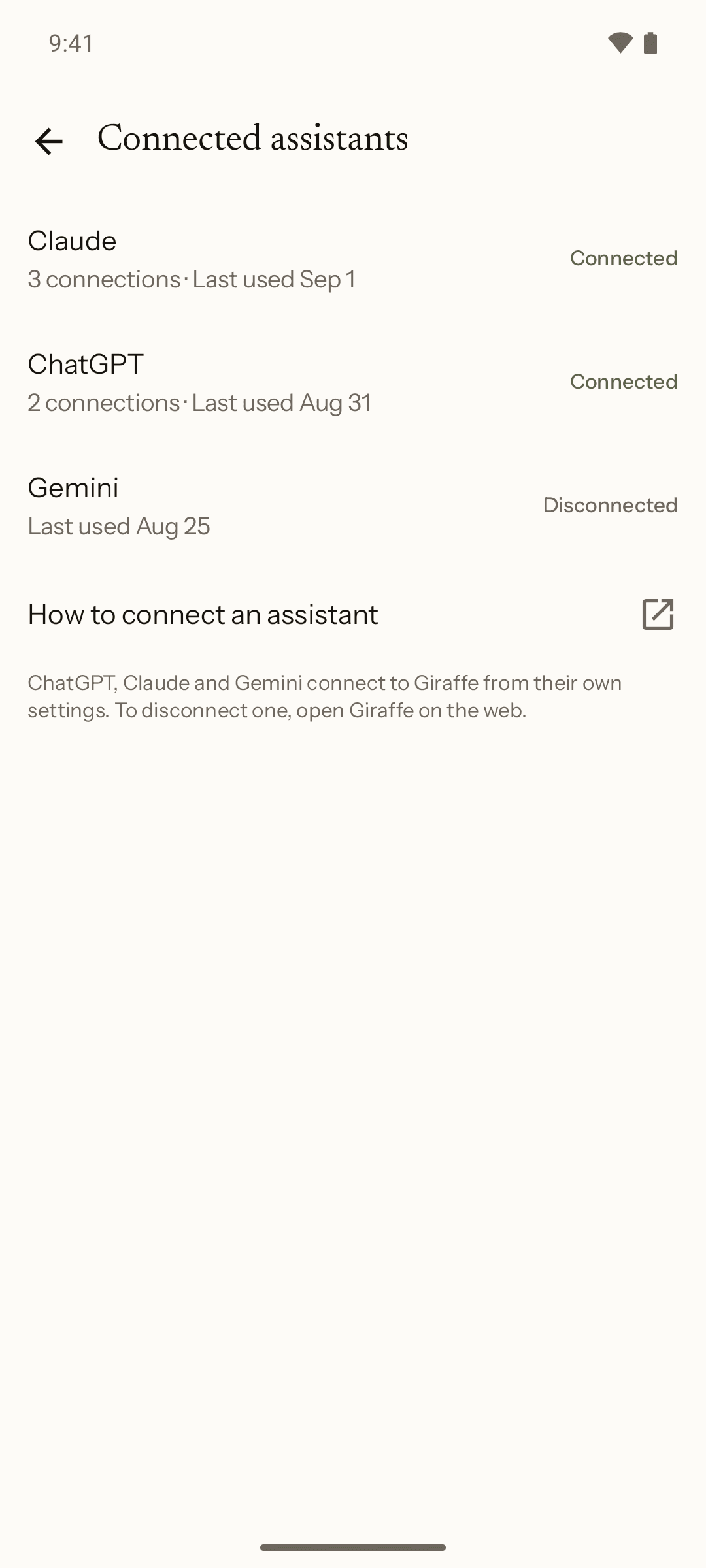
You approve every connection
Nothing is connected on your behalf, and nothing is shared until you connect it and use it.
Same account, same projects
The phone is another way into the account you already have. There is no separate Android copy of anything.
Giraffe for Android.
On Google Play now, Android 8.0 or later. Sign in with the account you already have.